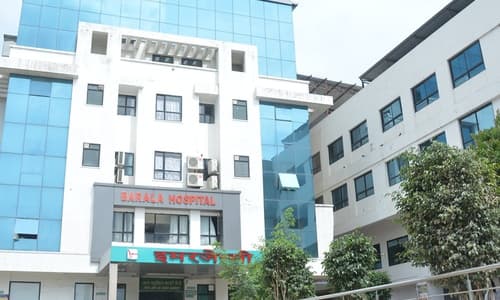
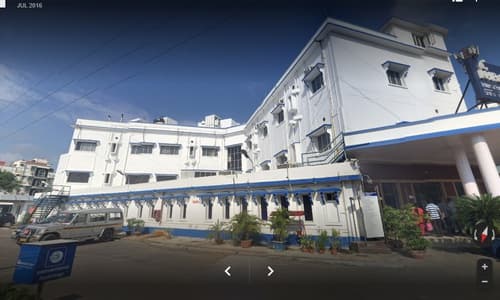
Guru Shri Goraksh Nath College of Nursing, Gorakhpur, is a reputed institution dedicated to excellence in nursing education and professional healthcare training. The college is committed to developing competent, compassionate, and ethically responsible nursing professionals through a balanced approach of academic rigor and practical clinical exposure. Equipped with modern infrastructure, well-furnished classrooms, and experienced faculty, the college provides a supportive and student-friendly learning environment. Guru Shri Goraksh Nath College of Nursing emphasizes holistic development, patient-centered care, and community health, preparing students to confidently meet the challenges of the evolving healthcare sector.
Courses
Duration
B.Sc Nursing
4 Years
P.B. BSc Nursing
2 Years
M.Sc Nursing
2 Years
G.N.M Nursing
3 Years
A.N.M Nursing
2 Years
Pictures
Admissions
Atal Bihari Vajpayee Medical University, UP, Lucknow (ABVMU) conducts the UP Common Nursing Entrance Test (CNET) for admission admission to following Colleges/Institutions:
a) All Nursing Colleges Affiliated to ABVMU b) SGPGIMS, Lucknow c) KGMU, Lucknow d) RMLIMS, Lucknow e) UPUMS, Saifai f) All Govt. & Private Universities / Deemed Universities of U.P
B.Sc Nursing Counselling Process:
Category
Examination Fee
Unreserved (UR) / Other Backward Classes (OBC)
₹3,000/-
Scheduled Caste (SC) / Scheduled Tribe (ST) / Persons with Disability (PwD)
₹2,000/-
Eligibility Criteria: The minimum age for admission is 17 years as on or before 31st December 2025. As per Indian Nursing Council (INC) regulations, candidates must have passed 10+2 (Science stream) with Physics, Chemistry, and Biology, securing at least 45% marks in PCB taken together and must have passed English individually from a recognised board; for SC/ST/OBC candidates, the minimum required marks in PCB is 40%. English is a compulsory subject at the 10+2 level for eligibility to B.Sc. Nursing. Candidates who have completed their education through State Open Schools recognised by the State Government or through NIOS recognised by the Central Government with Science subjects and English are also eligible. Colour-blind candidates are eligible provided they use colour-corrective contact lenses or spectacles. Final selection is subject to medical fitness, and candidates must be declared medically fit by the Medical Board constituted by a Government Medical College or the District CMO before joining the course. Married candidates are also eligible for admission.
To Download B.Sc Nursing Counselling Guidelines Information Brochure for CNET 2025-26
Instructions to Candidates for Filling Online Application Form:
Candidates must read all instructions carefully before filling the online application form.
The application must be submitted only online through www.abvmuup.edu.in; no other mode will be accepted.
All details filled in the application must be correct; incorrect or false information at any stage will lead to cancellation of candidature/admission.
Admission to B.Sc. Nursing in all Government/Private Nursing Colleges affiliated to ABVMU, SGPGIMS, KGMU, RMLIMS, UPUMS and LLRM will be done only through CNET-2025.
Candidates providing false information for practice or any other purpose will be debarred from future entrance examinations.
Candidates must register using their own personal email ID and mobile number and should not share their Registration ID or login details.
Registered email/mobile number and Registration ID will be used for admit card, result, counselling, allotment, and admission.
Candidates must note and safely keep their Registration ID and password.
No changes will be allowed after final submission of the application form.
Incomplete applications will be rejected without any notice.
Candidates must download the verification proforma, take an A4 printout, and fill it in their own handwriting using a blue ballpoint pen.
The examination fee once paid is non-refundable and cannot be carried forward.
Application once submitted cannot be withdrawn; fee deduction alone is not proof of payment keep the fee receipt.
After final submission, a confirmation message “Your application form has been successfully submitted” must appear on the screen; only then is the application considered complete.
Steps for filling Application Form
Step 1: Candidate Registration:
Candidate will visit the official website of the Atal Bihari Vajpayee Medical University, UPwww.abvmuup.edu.in and Click on the Link for UP GNM Entrance Test (UPGET) 2025.
Candidate will first register by clicking the “Register” button.
During the registration process the candidate will have to submit the following information: a) First Name (As per Class 10th Certificate/Marksheet) b) Middle Name c) Last Name d) Father’s Name (As per Class 10th Certificate/Marksheet) e) Mother’s Name (As per Class 10th Certificate/Marksheet) f) Date of Birth (As per Class 10th Certificate/Marksheet) g) Gender h) Email Address (Valid Email for Future Information & Notifications) i) Mobile Number & Alternate Mobile Number (Valid & Active Number for SMS based delivery of Registration Number & Password) j) WhatsApp Number k) Category l) Sub-Category
Candidate should preview the filled information and confirm the same before proceeding to final submission of registration information.
After confirming the information, the candidate will receive two separate verification OTPs on their registered email & mobile. Candidate has to ensure that the correct Mobile OTP and Email OTP are submitted. This is a mandatory step for successful registration of the candidate.
One Primary Mobile Number and Email once verified, can be used for a single registration only.
Upon successful completion of the registration, the candidate will receive his/her Unique Registration ID number & One-Time Login password on their registered mobile number and email address.
Information submitted at this stage will be auto filled in the Personal Information Section (Stage 1) of the application form.
Primary Information submitted during registration cannot be changed or altered at any later stage. The editing in the, limited field(s) will be allowed during Form correction window.
Important Note: Candidates must ensure that all personal details such as name, date of birth, gender, and mother’s and father’s names entered in the application form exactly match the details mentioned in the Class 10th certificate. The Registration ID is a unique identification number for each candidate and must be kept safely and not shared with anyone. In case a candidate forgets the Registration ID, he/she can click on the “Forgot Registration ID Number” option available on the official website to receive the unique Registration ID again on the registered mobile number via SMS or on the registered email ID.
Step 2: Login & Application Form Filling
Once the candidate has successfully registered, he/she is required to login into the application portal for application form filling by clicking the “Login” button for GNM.
For the first login, the candidate will be required to submit his/her Unique Registration ID Number and one-time login password which was sent to the email/mobile number at the time of Registration.
Once successfully logged in, it is mandatory for the candidate to change the default password after the first login. Without changing the default password, the candidate will not be able to proceed further with the application form filling & fee payment.
If a candidate forgets his/her Password, click on “Forgot Password” to receive an OTP on registered mobile number/e-mail to reset the Password.
The Candidates will have to Click on the “Fill Form” button to start filling the form.
Candidates should click the “Save & Next” button after filling the details at each stage of the application form, so that they are able to review, update or edit the application at any time prior to final submission.
Application Form - Stage 1: Personal Information At the first stage of the form, the applicant has to fill personal information. Most of the information on this stage of the application form is pre-filled using the registration data filled by the applicant during the registration stage.
Application Form - Stage 2: Address In this stage, the candidate must fill his or her residential details, including Address, State, City and Pin Code. If the candidate has a different Correspondence address, they can choose to update that or select the option to keep the Residential Details and the Correspondence Address the same.
Application Form - Stage 3: Educational Qualifications & Centre City Preferences I. At this stage, the candidate will have to submit the details of his/her educational qualifications as per the Eligibility Notification for the course. These details will include but are not limited to 10th & 12th total marks obtained, total marks, Board/School/College Name etc. II. In case the applicant is still awaiting his/her 12th result, he/she has the option to select “Appearing” for that particular class. Please note that the candidate would still have to update the marks before results of UPGET-2025 are announced. For this, the applicants will be given an opportunity to update his/her marks immediately after the UPGET-2025 Entrance Examination. Option to update the marks will be given in the UPGET-2025 Portal. III. The applicant has to provide his/her preference of the test centre city. A total of 3 choices has to be made in order of preference, however Test center city may change due to administrative reasons
Application Form - Stage 4: Photo, Signature and Verification Sheet At this stage the candidate has to upload his/her photo, signature and a scanned copy of duly filled verification sheet.
Application Form - Stage 5: Bank Details and Form Preview I. A refund for counselling purpose, if necessary, will be done at the bank information provided by the candidate. In case of failure, the source of payment will be utilized for refund. II. The candidate has to submit his/her Bank Account Details to process the refund in case the need arises. III. The Candidate is also required to upload a copy of the passbook or a copy of a cancelled cheque. IV. After submitting the Bank Details and uploading the Copy of Bank Passbook and/or a copy of a cancelled cheque, the candidate will move to the “Form Preview” Section. V. The Candidate will now click on the “Upload Live Photo” to be redirected to the live photo uploading module.
Application Form - Stage 6: Live Photo Uploading I. The Portal provides a feature to capture live photographs of the Candidate using the Webcam on Computer/Laptop or camera of a mobile phone. Candidate must take necessary precautions while taking his/her photograph. The following instructions should particularly be kept in mind during the live Photo Capture: a) Find a place with good light and plain background. b) Ensure the camera is at eye level before taking the photo. c) Position yourself directly in front of the webcam/mobile camera and look straight ahead. d) Candidates should not wear a cap, mask or glasses/spectacles while taking a live photo. e) Candidate should ensure the appearance in the live photo should be like the previously upload passport size photograph. II. The live photo module automatically detects the face movement to auto capture live photographs. Instructions for face movement directions are available in the Application Form. III. Failing to follow above guidelines for live photo capturing may result in the cancellation of application. IV. Once the live photograph is satisfactorily captured, the candidate has to click on the “Upload Live Photograph” button. V. The next step of the online application form is to check the Declaration Box to declare that the information submitted is true and correct. Once the declaration is agreed upon by checking the box [✔] the candidate has to click on “Save & Pay Fee” button.
Step 3: Fee submission
Once the candidate has successfully finished filling their application form on the UPGET-2025, click on “Pay Fee for GNM” button to pay the mandatory application fee.
On clicking the “Pay Fee for GNM” button, the candidate will be redirected to an Online Payment Gateway to pay the Application Fee Online via a Debit Card / Credit Card/ Net Banking or UPI. a) In case of payment failure, the candidate can attempt the payment again. Candidate should attempt for fresh payment only-after receiving message of unsuccessful attempt of last payment done or In case if no message is received, candidate should wait for 30 minutes before making any further payment. b) IMPORTANT: IN CASE OF MULTIPLE PAYMENTS AT THE TIME OF FEE SUBMISSION, THE REFUND WILL BE DONE TO THE SOURCE FROM WHERE THE PAYMENT WAS ORIGINALLY MADE. c) The latest successful payment will be considered for filling the application form and any old payments will be refunded to the source. d) Candidate will receive a payment receipt upon a successful payment confirmation on the portal in candidate login.
Step 4: Final form submission
After the successful payment confirmation through the portal, the application form will be automatically submitted and a confirmation message will be shown on the portal.
A message “your application form has been successfully submitted” will appear on the screen after the final submission of your application form. Kindly ensure yourself that you receive this message to confirm the final submission of your application form. Unless the candidate see this message, he/she should not assume final form submission.
After successful final submission of the application form, a confirmation email will be sent to the candidate on his/her registered email.
The candidate will be able to download the final submitted application form by clicking on Print Button after the successful submission of application fee.
Eligibility Criteria: The minimum age for admission is 17 years as on or before 31st December 2025. As per Indian Nursing Council (INC) regulations, candidates seeking admission to GNM must have passed 10+2 with English and secured at least 40% marks in the qualifying examination from a recognised board, including State Open School or NIOS, with English passed individually; Science stream is preferable and marks of three core elective subjects may be considered for percentage calculation excluding English. Alternatively, candidates with 10+2 and 40% marks in vocational ANM course from an INC-recognised school, or 10+2 with 40% marks in vocational healthcare science from a recognised CBSE/State/Central board, or registered ANM with passing marks are also eligible. A relaxation of 5% in total marks is applicable for SC/ST candidates. All applicants must be medically fit however, candidates with loco-motor disability of 40%–50% of the lower extremity are eligible subject to meeting the same qualification criteria prescribed for their respective categories.
Instructions to Candidates for Filling Online Application Form
Candidates must read all instructions carefully before filling the online application form.
The application must be submitted only in online mode through the website www.abvmuup.edu.in.
Application forms sent by post or any other mode will not be accepted.
Candidates must ensure that all details filled in the application form are correct; incorrect or false information at any stage will lead to cancellation of candidature/admission.
Admission to the GNM course in all Government Training Centres/Schools and all Private Institutions/Colleges affiliated with UP State Medical Faculty will be done only through UPGET-2025.
If a candidate provides false information only to appear in the examination for practice or any other purpose, he/she will be debarred from future entrance examinations.
Candidates must register using their own personal email ID and mobile number, as all communications will be sent to the registered details.
Candidates should not share their Registration ID or login credentials with anyone.
Registered email ID/mobile number and Registration ID will be used for admit card, result, counselling, seat allotment and admission.
Candidates must note down their Registration ID and password and keep them safe.
The University will not be responsible for any issue arising due to incorrect information filled by the candidate.
Incomplete applications will be rejected without any intimation.
Candidates must download the verification proforma before filling the application, take a printout on A4 size paper, and fill it in their own handwriting using a blue ballpoint pen.
The examination fee once paid is non-refundable and will not be carried forward to future examinations.
Application once submitted cannot be withdrawn.
Mere deduction of fee from the bank account does not confirm payment; a system-generated fee receipt is required.
After final submission, a message “Your application form has been successfully submitted” will appear on the screen; candidates must ensure this message is displayed.
During the form correction window, candidates can edit only Gender, Date of Birth, Father’s Name, Mother’s Name, and Educational Qualification details.
Steps for filling Application Form
Step 1: Candidate Registration:
Candidate will visit the official website of the Atal Bihari Vajpayee Medical University, UPwww.abvmuup.edu.in and Click on the Link for UP GNM Entrance Test (UPGET) 2025.
Candidate will first register by clicking the “Register” button.
During the registration process the candidate will have to submit the following information: a) First Name (As per Class 10th Certificate/Marksheet) b) Middle Name c) Last Name d) Father’s Name (As per Class 10th Certificate/Marksheet) e) Mother’s Name (As per Class 10th Certificate/Marksheet) f) Date of Birth (As per Class 10th Certificate/Marksheet) g) Gender h) Email Address (Valid Email for Future Information & Notifications) i) Mobile Number & Alternate Mobile Number (Valid & Active Number for SMS based delivery of Registration Number & Password) j) WhatsApp Number k) Category l) Sub-Category m) In service ANM (should have 5 years of experience in DGH/ NRHM/ NHM till 15.06.2025).
Candidate should preview the filled information and confirm the same before proceeding to final submission of registration information.
After confirming the information, the candidate will receive two separate verification OTPs on their registered email & mobile. Candidate has to ensure that the correct Mobile OTP and Email OTP are submitted. This is a mandatory step for successful registration of the candidate.
One Primary Mobile Number and Email once verified, can be used for a single registration only.
Upon successful completion of the registration, the candidate will receive his/her Unique Registration ID number & One-Time Login password on their registered mobile number and email address.
Information submitted at this stage will be auto filled in the Personal Information Section (Stage 1) of the application form.
Primary Information submitted during registration cannot be changed or altered at any later stage. The editing in the, limited field(s) will be allowed during Form correction window.
Important Note: Candidates must ensure that all personal details such as name, date of birth, gender, and mother’s and father’s names entered in the application form exactly match the details mentioned in the Class 10th certificate. The Registration ID is a unique identification number for each candidate and must be kept safely and not shared with anyone. In case a candidate forgets the Registration ID, he/she can click on the “Forgot Registration ID Number” option available on the official website to receive the unique Registration ID again on the registered mobile number via SMS or on the registered email ID.
Step 2: Login & Application Form Filling
Once the candidate has successfully registered, he/she is required to login into the application portal for application form filling by clicking the “Login” button for GNM.
For the first login, the candidate will be required to submit his/her Unique Registration ID Number and one-time login password which was sent to the email/mobile number at the time of Registration.
Once successfully logged in, it is mandatory for the candidate to change the default password after the first login. Without changing the default password, the candidate will not be able to proceed further with the application form filling & fee payment.
If a candidate forgets his/her Password, click on “Forgot Password” to receive an OTP on registered mobile number/e-mail to reset the Password.
The Candidates will have to Click on the “Fill Form” button to start filling the form.
Candidates should click the “Save & Next” button after filling the details at each stage of the application form, so that they are able to review, update or edit the application at any time prior to final submission.
Application Form - Stage 1: Personal Information At the first stage of the form, the applicant has to fill personal information. Most of the information on this stage of the application form is pre-filled using the registration data filled by the applicant during the registration stage.
Application Form - Stage 2: Address In this stage, the candidate must fill his or her residential details, including Address, State, City and Pin Code. If the candidate has a different Correspondence address, they can choose to update that or select the option to keep the Residential Details and the Correspondence Address the same.
Application Form - Stage 3: Educational Qualifications & Centre City Preferences I. At this stage, the candidate will have to submit the details of his/her educational qualifications as per the Eligibility Notification for the course. These details will include but are not limited to 10th & 12th total marks obtained, total marks, Board/School/College Name etc. II. In case the applicant is still awaiting his/her 12th result, he/she has the option to select “Appearing” for that particular class. Please note that the candidate would still have to update the marks before results of UPGET-2025 are announced. For this, the applicants will be given an opportunity to update his/her marks immediately after the UPGET-2025 Entrance Examination. Option to update the marks will be given in the UPGET-2025 Portal. III. The applicant has to provide his/her preference of the test centre city. A total of 3 choices has to be made in order of preference, however Test center city may change due to administrative reasons
Application Form - Stage 4: Photo, Signature and Verification Sheet At this stage the candidate has to upload his/her photo, signature and a scanned copy of duly filled verification sheet.
Application Form - Stage 5: Bank Details and Form Preview I. A refund for counselling purpose, if necessary, will be done at the bank information provided by the candidate. In case of failure, the source of payment will be utilized for refund. II. The candidate has to submit his/her Bank Account Details to process the refund in case the need arises. III. The Candidate is also required to upload a copy of the passbook or a copy of a cancelled cheque. IV. After submitting the Bank Details and uploading the Copy of Bank Passbook and/or a copy of a cancelled cheque, the candidate will move to the “Form Preview” Section. V. The Candidate will now click on the “Upload Live Photo” to be redirected to the live photo uploading module.
Application Form - Stage 6: Live Photo Uploading I. The Portal provides a feature to capture live photographs of the Candidate using the Webcam on Computer/Laptop or camera of a mobile phone. Candidate must take necessary precautions while taking his/her photograph. The following instructions should particularly be kept in mind during the live Photo Capture: a) Find a place with good light and plain background. b) Ensure the camera is at eye level before taking the photo. c) Position yourself directly in front of the webcam/mobile camera and look straight ahead. d) Candidates should not wear a cap, mask or glasses/spectacles while taking a live photo. e) Candidate should ensure the appearance in the live photo should be like the previously upload passport size photograph. II. The live photo module automatically detects the face movement to auto capture live photographs. Instructions for face movement directions are available in the Application Form. III. Failing to follow above guidelines for live photo capturing may result in the cancellation of application. IV. Once the live photograph is satisfactorily captured, the candidate has to click on the “Upload Live Photograph” button. V. The next step of the online application form is to check the Declaration Box to declare that the information submitted is true and correct. Once the declaration is agreed upon by checking the box [✔] the candidate has to click on “Save & Pay Fee” button.
Step 3: Fee submission
Once the candidate has successfully finished filling their application form on the UPGET-2025, click on “Pay Fee for GNM” button to pay the mandatory application fee.
On clicking the “Pay Fee for GNM” button, the candidate will be redirected to an Online Payment Gateway to pay the Application Fee Online via a Debit Card / Credit Card/ Net Banking or UPI. a) In case of payment failure, the candidate can attempt the payment again. Candidate should attempt for fresh payment only-after receiving message of unsuccessful attempt of last payment done or In case if no message is received, candidate should wait for 30 minutes before making any further payment. b) IMPORTANT: IN CASE OF MULTIPLE PAYMENTS AT THE TIME OF FEE SUBMISSION, THE REFUND WILL BE DONE TO THE SOURCE FROM WHERE THE PAYMENT WAS ORIGINALLY MADE. c) The latest successful payment will be considered for filling the application form and any old payments will be refunded to the source. d) Candidate will receive a payment receipt upon a successful payment confirmation on the portal in candidate login.
Step 4: Final form submission
After the successful payment confirmation through the portal, the application form will be automatically submitted and a confirmation message will be shown on the portal.
A message “your application form has been successfully submitted” will appear on the screen after the final submission of your application form. Kindly ensure yourself that you receive this message to confirm the final submission of your application form. Unless the candidate see this message, he/she should not assume final form submission.
After successful final submission of the application form, a confirmation email will be sent to the candidate on his/her registered email.
The candidate will be able to download the final submitted application form by clicking on Print Button after the successful submission of application fee.
Admission Process for ANM (Auxiliary Nurse Midwifery)
Eligibility Criteria: Candidates seeking admission to the ANM course must have passed 10+2 or its equivalent from a recognized board with English as a compulsory subject, securing a minimum of 40% aggregate marks (relaxation applicable for reserved categories as per government norms). Applicants from State Open Schools and NIOS recognized by the Government of India/State Governments are also eligible. Candidates must have completed 17 years of age at the time of admission and should be medically fit. Eligibility requirements may vary slightly depending on state government, university, or Indian Nursing Council guidelines.
Post Basic B.Sc. Nursing (PB B.Sc.)
Eligibility Criteria: The minimum age for admission is 17 years as on or before 31st December 2025. Candidates must have passed Higher Secondary/Senior Secondary/Intermediate (12th standard or 10+2) or an equivalent examination recognised by the University; candidates who completed 10+1 in or before 1986 are also eligible. Applicants must possess a certificate in General Nursing and Midwifery (GNM) and be registered as R.N.R.M. with the State Nurses Registration Council. Male nurses trained before the introduction of the integrated course must, in addition to State registration, submit proof of training approved by the Indian Nursing Council for a similar duration in lieu of midwifery in any one area such as OT Techniques, Ophthalmic Nursing, Leprosy Nursing, TB Nursing, Psychiatric Nursing, Neurological and Neuro Surgical Nursing, Community Health Nursing, Cancer Nursing, or Orthopaedic Nursing. Colour-blind candidates are eligible provided they use colour-corrective contact lenses or spectacles. Selection is subject to medical fitness, and candidates must be declared medically fit by the Medical Board of a Government Medical College or the District CMO before joining the course. Married candidates are also eligible for admission.
Instructions to Candidates for Filling Online Application Form (Short & Easy)
Read all instructions carefully before filling the online application form.
Applications sent by post or any other mode will not be accepted.
Ensure all details filled are correct; wrong or false information will lead to cancellation of admission/candidature.
Admission to Post Basic B.Sc. Nursing in all Government/Private Nursing Colleges affiliated to ABVMU will be done only through CNET-2025.
Providing false information for practice or any other purpose will result in debarment from future entrance exams.
Register using your own email ID and mobile number and do not share your Registration ID or login details.
Registered email/mobile number and Registration ID will be used for admit card, result, counselling, allotment, and admission.
Note down and keep your Registration ID and password safely.
No changes are allowed after final submission of the application form.
Incomplete applications will be rejected without notice.
Download the verification proforma, take an A4 printout, and fill it in your own handwriting using a blue ballpoint pen.
Examination fee once paid is non-refundable and cannot be carried forward.
Application once submitted cannot be withdrawn; fee deduction alone is not proof of payment—keep the fee receipt.
After final submission, ensure the message “Your application form has been successfully submitted” appears on the screen to confirm submission.
Steps for filling Application Form
Step 1: Candidate Registration:
Candidate will visit the official website of the Atal Bihari Vajpayee Medical University, UPwww.abvmuup.edu.in and Click on the Link for UP GNM Entrance Test (UPGET) 2025.
Candidate will first register by clicking the “Register” button.
During the registration process the candidate will have to submit the following information: a) First Name (As per Class 10th Certificate/Marksheet) b) Middle Name c) Last Name d) Father’s Name (As per Class 10th Certificate/Marksheet) e) Mother’s Name (As per Class 10th Certificate/Marksheet) f) Date of Birth (As per Class 10th Certificate/Marksheet) g) Gender h) Email Address (Valid Email for Future Information & Notifications) i) Mobile Number & Alternate Mobile Number (Valid & Active Number for SMS based delivery of Registration Number & Password) j) WhatsApp Number k) Category l) Sub-Category
Candidate should preview the filled information and confirm the same before proceeding to final submission of registration information.
After confirming the information, the candidate will receive two separate verification OTPs on their registered email & mobile. Candidate has to ensure that the correct Mobile OTP and Email OTP are submitted. This is a mandatory step for successful registration of the candidate.
One Primary Mobile Number and Email once verified, can be used for a single registration only.
Upon successful completion of the registration, the candidate will receive his/her Unique Registration ID number & One-Time Login password on their registered mobile number and email address.
Information submitted at this stage will be auto filled in the Personal Information Section (Stage 1) of the application form.
Primary Information submitted during registration cannot be changed or altered at any later stage. The editing in the, limited field(s) will be allowed during Form correction window.
Important Note: Candidates must ensure that all personal details such as name, date of birth, gender, and mother’s and father’s names entered in the application form exactly match the details mentioned in the Class 10th certificate. The Registration ID is a unique identification number for each candidate and must be kept safely and not shared with anyone. In case a candidate forgets the Registration ID, he/she can click on the “Forgot Registration ID Number” option available on the official website to receive the unique Registration ID again on the registered mobile number via SMS or on the registered email ID.
Step 2: Login & Application Form Filling
Once the candidate has successfully registered, he/she is required to login into the application portal for application form filling by clicking the “Login” button for GNM.
For the first login, the candidate will be required to submit his/her Unique Registration ID Number and one-time login password which was sent to the email/mobile number at the time of Registration.
Once successfully logged in, it is mandatory for the candidate to change the default password after the first login. Without changing the default password, the candidate will not be able to proceed further with the application form filling & fee payment.
If a candidate forgets his/her Password, click on “Forgot Password” to receive an OTP on registered mobile number/e-mail to reset the Password.
The Candidates will have to Click on the “Fill Form” button to start filling the form.
Candidates should click the “Save & Next” button after filling the details at each stage of the application form, so that they are able to review, update or edit the application at any time prior to final submission.
Application Form - Stage 1: Personal Information At the first stage of the form, the applicant has to fill personal information. Most of the information on this stage of the application form is pre-filled using the registration data filled by the applicant during the registration stage.
Application Form - Stage 2: Address In this stage, the candidate must fill his or her residential details, including Address, State, City and Pin Code. If the candidate has a different Correspondence address, they can choose to update that or select the option to keep the Residential Details and the Correspondence Address the same.
Application Form - Stage 3: Educational Qualifications & Centre City Preferences I. At this stage, the candidate will have to submit the details of his/her educational qualifications as per the Eligibility Notification for the course. These details will include but are not limited to 10th & 12th total marks obtained, total marks, Board/School/College Name etc. II. In case the applicant is still awaiting his/her 12th result, he/she has the option to select “Appearing” for that particular class. Please note that the candidate would still have to update the marks before results of UPGET-2025 are announced. For this, the applicants will be given an opportunity to update his/her marks immediately after the UPGET-2025 Entrance Examination. Option to update the marks will be given in the UPGET-2025 Portal. III. The applicant has to provide his/her preference of the test centre city. A total of 3 choices has to be made in order of preference, however Test center city may change due to administrative reasons
Application Form - Stage 4: Photo, Signature and Verification Sheet At this stage the candidate has to upload his/her photo, signature and a scanned copy of duly filled verification sheet.
Application Form - Stage 5: Bank Details and Form Preview I. A refund for counselling purpose, if necessary, will be done at the bank information provided by the candidate. In case of failure, the source of payment will be utilized for refund. II. The candidate has to submit his/her Bank Account Details to process the refund in case the need arises. III. The Candidate is also required to upload a copy of the passbook or a copy of a cancelled cheque. IV. After submitting the Bank Details and uploading the Copy of Bank Passbook and/or a copy of a cancelled cheque, the candidate will move to the “Form Preview” Section. V. The Candidate will now click on the “Upload Live Photo” to be redirected to the live photo uploading module.
Application Form - Stage 6: Live Photo Uploading I. The Portal provides a feature to capture live photographs of the Candidate using the Webcam on Computer/Laptop or camera of a mobile phone. Candidate must take necessary precautions while taking his/her photograph. The following instructions should particularly be kept in mind during the live Photo Capture: a) Find a place with good light and plain background. b) Ensure the camera is at eye level before taking the photo. c) Position yourself directly in front of the webcam/mobile camera and look straight ahead. d) Candidates should not wear a cap, mask or glasses/spectacles while taking a live photo. e) Candidate should ensure the appearance in the live photo should be like the previously upload passport size photograph. II. The live photo module automatically detects the face movement to auto capture live photographs. Instructions for face movement directions are available in the Application Form. III. Failing to follow above guidelines for live photo capturing may result in the cancellation of application. IV. Once the live photograph is satisfactorily captured, the candidate has to click on the “Upload Live Photograph” button. V. The next step of the online application form is to check the Declaration Box to declare that the information submitted is true and correct. Once the declaration is agreed upon by checking the box [✔] the candidate has to click on “Save & Pay Fee” button.
Step 3: Fee submission
Once the candidate has successfully finished filling their application form on the UPGET-2025, click on “Pay Fee for GNM” button to pay the mandatory application fee.
On clicking the “Pay Fee for GNM” button, the candidate will be redirected to an Online Payment Gateway to pay the Application Fee Online via a Debit Card / Credit Card/ Net Banking or UPI. a) In case of payment failure, the candidate can attempt the payment again. Candidate should attempt for fresh payment only-after receiving message of unsuccessful attempt of last payment done or In case if no message is received, candidate should wait for 30 minutes before making any further payment. b) IMPORTANT: IN CASE OF MULTIPLE PAYMENTS AT THE TIME OF FEE SUBMISSION, THE REFUND WILL BE DONE TO THE SOURCE FROM WHERE THE PAYMENT WAS ORIGINALLY MADE. c) The latest successful payment will be considered for filling the application form and any old payments will be refunded to the source. d) Candidate will receive a payment receipt upon a successful payment confirmation on the portal in candidate login.
Step 4: Final form submission
After the successful payment confirmation through the portal, the application form will be automatically submitted and a confirmation message will be shown on the portal.
A message “your application form has been successfully submitted” will appear on the screen after the final submission of your application form. Kindly ensure yourself that you receive this message to confirm the final submission of your application form. Unless the candidate see this message, he/she should not assume final form submission.
After successful final submission of the application form, a confirmation email will be sent to the candidate on his/her registered email.
The candidate will be able to download the final submitted application form by clicking on Print Button after the successful submission of application fee.
To Download PB B.Sc. Nursing Counselling Guidelines Information Brochure for CNET 2025-26
Eligibility Criteria: The minimum age for admission is 17 years as on or before 31st December 2025. As per INC regulations, for M.Sc. Nursing, candidates must be Registered Nurses and Registered Midwives with a State Nursing Registration Council, have passed B.Sc. Nursing/B.Sc. (Hons.) Nursing/Post Basic B.Sc. Nursing with at least 55% aggregate marks, and possess a minimum of one year of clinical or teaching experience after Basic B.Sc. Nursing, along with one year of experience either before or after Post Basic B.Sc. Nursing. For the Nurse Practitioner in Critical Care (NPCC) course, candidates must be Registered Nurses and Registered Midwives, have the same educational qualification with 55% aggregate marks, and have at least one year of clinical experience after Basic B.Sc. Nursing and one year of clinical experience either before or after Post Basic B.Sc. Nursing, preferably in a critical care setting.
Instructions to Candidates for Filling Online Application Form (Short & Clear)
Read all instructions carefully before filling the online application form.
Applications submitted by post or any other mode will not be accepted.
Ensure all details entered are correct; incorrect or false information will lead to cancellation of candidature/admission.
Admission to M.Sc. Nursing / NPCC courses in all Government and Private Nursing Colleges affiliated to ABVMU, SGPGIMS Lucknow, KGMU Lucknow, and LLRM Meerut will be done only through CNET-2025.
Candidates providing false information for practice or any other purpose will be debarred from future entrance examinations.
Register using your own personal email ID and mobile number and do not share your Registration ID or login details.
Registered email/mobile number and Registration ID will be used for admit card, result, counselling, allotment, and admission.
Note down and safely keep your Registration ID and password.
No changes will be allowed after final submission of the application form.
Incomplete applications will be rejected without notice.
Download the verification proforma, take an A4 printout, and fill it in your own handwriting using a blue ballpoint pen.
Examination fee once paid is non-refundable and cannot be carried forward.
Application once submitted cannot be withdrawn; fee deduction alone is not proof of payment—keep the fee receipt.
After final submission, ensure the message “Your application form has been successfully submitted” appears on the screen to confirm completion.
Steps for filling Application Form
Step 1: Candidate Registration:
Candidate will visit the official website of the Atal Bihari Vajpayee Medical University, UPwww.abvmuup.edu.in and Click on the Link for UP GNM Entrance Test (UPGET) 2025.
Candidate will first register by clicking the “Register” button.
During the registration process the candidate will have to submit the following information: a) First Name (As per Class 10th Certificate/Marksheet) b) Middle Name c) Last Name d) Father’s Name (As per Class 10th Certificate/Marksheet) e) Mother’s Name (As per Class 10th Certificate/Marksheet) f) Date of Birth (As per Class 10th Certificate/Marksheet) g) Gender h) Email Address (Valid Email for Future Information & Notifications) i) Mobile Number & Alternate Mobile Number (Valid & Active Number for SMS based delivery of Registration Number & Password) j) WhatsApp Number k) Category l) Sub-Category
Candidate should preview the filled information and confirm the same before proceeding to final submission of registration information.
After confirming the information, the candidate will receive two separate verification OTPs on their registered email & mobile. Candidate has to ensure that the correct Mobile OTP and Email OTP are submitted. This is a mandatory step for successful registration of the candidate.
One Primary Mobile Number and Email once verified, can be used for a single registration only.
Upon successful completion of the registration, the candidate will receive his/her Unique Registration ID number & One-Time Login password on their registered mobile number and email address.
Information submitted at this stage will be auto filled in the Personal Information Section (Stage 1) of the application form.
Primary Information submitted during registration cannot be changed or altered at any later stage. The editing in the, limited field(s) will be allowed during Form correction window.
Important Note: Candidates must ensure that all personal details such as name, date of birth, gender, and mother’s and father’s names entered in the application form exactly match the details mentioned in the Class 10th certificate. The Registration ID is a unique identification number for each candidate and must be kept safely and not shared with anyone. In case a candidate forgets the Registration ID, he/she can click on the “Forgot Registration ID Number” option available on the official website to receive the unique Registration ID again on the registered mobile number via SMS or on the registered email ID.
Step 2: Login & Application Form Filling
Once the candidate has successfully registered, he/she is required to login into the application portal for application form filling by clicking the “Login” button for GNM.
For the first login, the candidate will be required to submit his/her Unique Registration ID Number and one-time login password which was sent to the email/mobile number at the time of Registration.
Once successfully logged in, it is mandatory for the candidate to change the default password after the first login. Without changing the default password, the candidate will not be able to proceed further with the application form filling & fee payment.
If a candidate forgets his/her Password, click on “Forgot Password” to receive an OTP on registered mobile number/e-mail to reset the Password.
The Candidates will have to Click on the “Fill Form” button to start filling the form.
Candidates should click the “Save & Next” button after filling the details at each stage of the application form, so that they are able to review, update or edit the application at any time prior to final submission.
Application Form - Stage 1: Personal Information At the first stage of the form, the applicant has to fill personal information. Most of the information on this stage of the application form is pre-filled using the registration data filled by the applicant during the registration stage.
Application Form - Stage 2: Address In this stage, the candidate must fill his or her residential details, including Address, State, City and Pin Code. If the candidate has a different Correspondence address, they can choose to update that or select the option to keep the Residential Details and the Correspondence Address the same.
Application Form - Stage 3: Educational Qualifications & Centre City Preferences I. At this stage, the candidate will have to submit the details of his/her educational qualifications as per the Eligibility Notification for the course. These details will include but are not limited to 10th & 12th total marks obtained, total marks, Board/School/College Name etc. II. In case the applicant is still awaiting his/her 12th result, he/she has the option to select “Appearing” for that particular class. Please note that the candidate would still have to update the marks before results of UPGET-2025 are announced. For this, the applicants will be given an opportunity to update his/her marks immediately after the UPGET-2025 Entrance Examination. Option to update the marks will be given in the UPGET-2025 Portal. III. The applicant has to provide his/her preference of the test centre city. A total of 3 choices has to be made in order of preference, however Test center city may change due to administrative reasons
Application Form - Stage 4: Photo, Signature and Verification Sheet At this stage the candidate has to upload his/her photo, signature and a scanned copy of duly filled verification sheet.
Application Form - Stage 5: Bank Details and Form Preview I. A refund for counselling purpose, if necessary, will be done at the bank information provided by the candidate. In case of failure, the source of payment will be utilized for refund. II. The candidate has to submit his/her Bank Account Details to process the refund in case the need arises. III. The Candidate is also required to upload a copy of the passbook or a copy of a cancelled cheque. IV. After submitting the Bank Details and uploading the Copy of Bank Passbook and/or a copy of a cancelled cheque, the candidate will move to the “Form Preview” Section. V. The Candidate will now click on the “Upload Live Photo” to be redirected to the live photo uploading module.
Application Form - Stage 6: Live Photo Uploading I. The Portal provides a feature to capture live photographs of the Candidate using the Webcam on Computer/Laptop or camera of a mobile phone. Candidate must take necessary precautions while taking his/her photograph. The following instructions should particularly be kept in mind during the live Photo Capture: a) Find a place with good light and plain background. b) Ensure the camera is at eye level before taking the photo. c) Position yourself directly in front of the webcam/mobile camera and look straight ahead. d) Candidates should not wear a cap, mask or glasses/spectacles while taking a live photo. e) Candidate should ensure the appearance in the live photo should be like the previously upload passport size photograph. II. The live photo module automatically detects the face movement to auto capture live photographs. Instructions for face movement directions are available in the Application Form. III. Failing to follow above guidelines for live photo capturing may result in the cancellation of application. IV. Once the live photograph is satisfactorily captured, the candidate has to click on the “Upload Live Photograph” button. V. The next step of the online application form is to check the Declaration Box to declare that the information submitted is true and correct. Once the declaration is agreed upon by checking the box [✔] the candidate has to click on “Save & Pay Fee” button.
Step 3: Fee submission
Once the candidate has successfully finished filling their application form on the UPGET-2025, click on “Pay Fee for GNM” button to pay the mandatory application fee.
On clicking the “Pay Fee for GNM” button, the candidate will be redirected to an Online Payment Gateway to pay the Application Fee Online via a Debit Card / Credit Card/ Net Banking or UPI. a) In case of payment failure, the candidate can attempt the payment again. Candidate should attempt for fresh payment only-after receiving message of unsuccessful attempt of last payment done or In case if no message is received, candidate should wait for 30 minutes before making any further payment. b) IMPORTANT: IN CASE OF MULTIPLE PAYMENTS AT THE TIME OF FEE SUBMISSION, THE REFUND WILL BE DONE TO THE SOURCE FROM WHERE THE PAYMENT WAS ORIGINALLY MADE. c) The latest successful payment will be considered for filling the application form and any old payments will be refunded to the source. d) Candidate will receive a payment receipt upon a successful payment confirmation on the portal in candidate login.
Step 4: Final form submission
After the successful payment confirmation through the portal, the application form will be automatically submitted and a confirmation message will be shown on the portal.
A message “your application form has been successfully submitted” will appear on the screen after the final submission of your application form. Kindly ensure yourself that you receive this message to confirm the final submission of your application form. Unless the candidate see this message, he/she should not assume final form submission.
After successful final submission of the application form, a confirmation email will be sent to the candidate on his/her registered email.
The candidate will be able to download the final submitted application form by clicking on Print Button after the successful submission of application fee.
To Download M.Sc. Nursing Counselling Guidelines Information Brochure for CNET 2025-26